UNION Operator
The union command is used to do multiple queries at once. By using union, Both queries will return a single table.
For Example:
Let's use the countries table and regions table for this example. Refer Introduction to know about this table and the database.
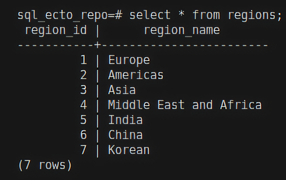
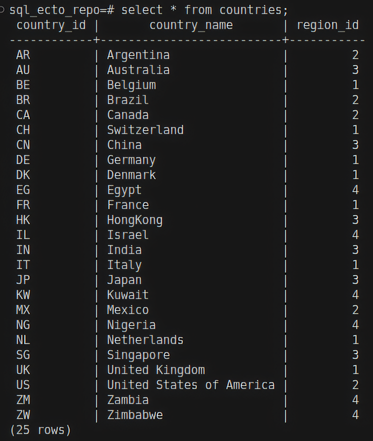
select region_id from regions union select region_id from countries;
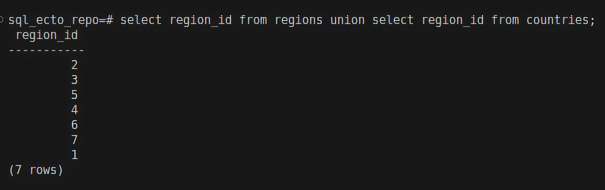
Here, we are executing two queries and combining them using union. This query will return region_id from both the tables without duplicate values.
Result:
In union,
- The column names must be the same in both queries. Using different column names will result in an error.
- Both columns should have the same data types.
To include duplicates, use union all.
union all
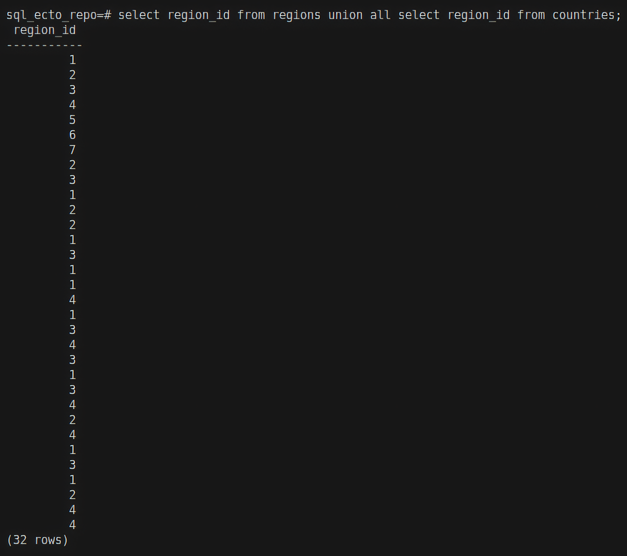
union all will return duplicate values as well.
For Example:
select region_id from regions union all select region_id from countries;
Result:
Ecto query for union
union/2
In Ecto union/2 allows you to combine multiple queries. union/2 expects two arguments. So let's create two queries and combine them using the union/2 function.
Expression example
For example:
First query,
region_id_from_country =
HR.Country
|> select([c], %{"region_id" => c.region_id})
Here, we are selecting region_id from HR.Country and assigning it to a variable called region_id_from_country. Here c is the reference variable; refer Aliases in Ecto to know about reference variables.
second query,
region_id_from_region =
HR.Region
|> select([r], %{"region_id" => r.region_id})
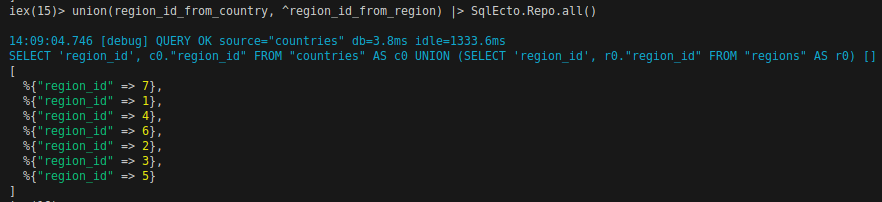
Here, we are selecting region_id from HR.Region and assigning it to a variable called region_id_from_region. We are putting both queries in a map data structure using %{}. Let's combine both queries.
union(region_id_from_country, ^region_id_from_region)
|> HR.Repo.all()
Here, we are combining both queries. Union expects its second argument to contain the ^ symbol to indicate that the argument is already defined.
Result:
Keyword example
first query,
region_id_from_country = from c in HR.Country, select: %{"region_id" => c.region_id}
second query,
region_id_from_region = from c in HR.Region, select: %{"region_id" => c.region_id}, union: ^region_id_from_country
HR.Repo.all(region_id_from_region)
union_all
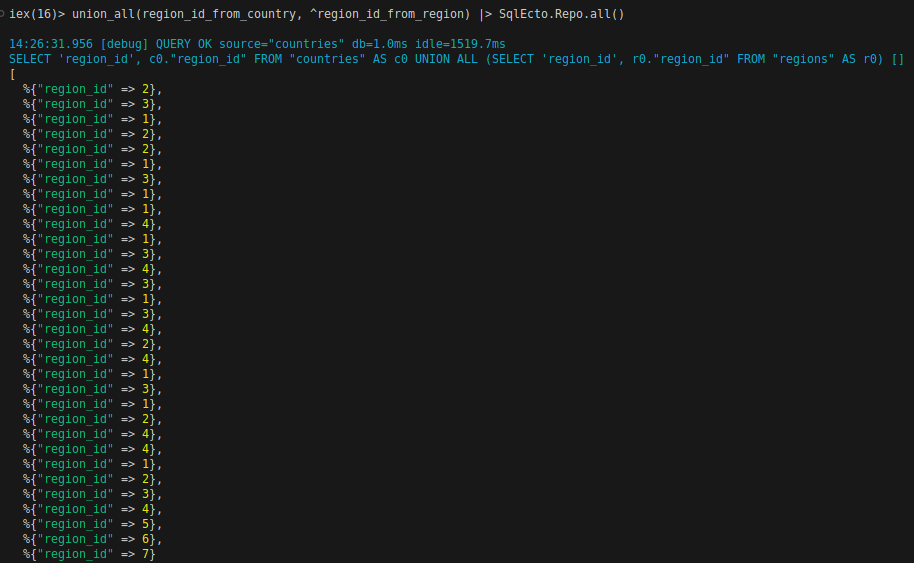
As we mentioned, the result is returned in a map %{}. To include duplicate values, use union_all/2 function.
union_all(region_id_from_country, ^region_id_from_region) |> HR.Repo.all()
Result:
Keyword example
Change union to union_all for the keywords syntax.